Chance Dean
Back to projects

Project case study

KIF: keep the context with the work

A ticket rarely tells the whole story. KIF is built to bring the related signals from connected tools into one view beside the work.

KIF fox logo
The problemContext is spread across a tracker, a code host, project files and conversations.
The approachRead from the tools a person connects, and present what relates to the work in front of them.
The aimLess hunting between tabs, and fewer questions that start from zero.
01 / SEE

One summary for a whole backlog

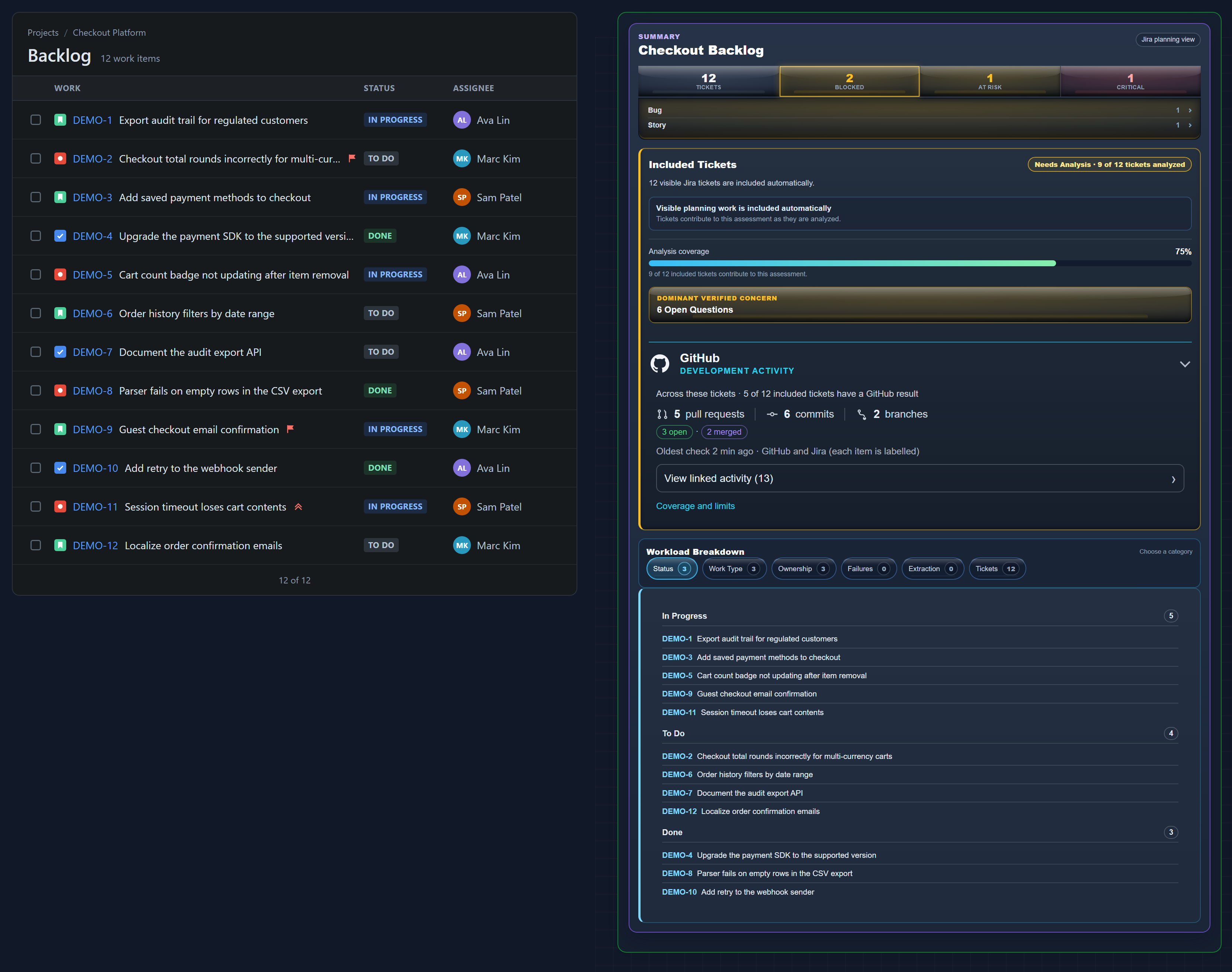
The summary gathers what is in view and says how much of it has actually been analyzed.

  • Blocked, at risk and critical work at a glance
  • Linked development activity from a connected GitHub source
  • Coverage shown openly, so gaps stay visible
A sample backlog of twelve work items beside the KIF summary of the same items, showing blocked and critical counts, analysis coverage, GitHub development activity and a status breakdown. Demo data.
KIF's workload summary beside an illustrative backlog list. Synthetic demo data, not customer results. The list on the left is not a Jira screenshot. Open the full screen
02 / CAPTURE

Turn loose notes into filed information

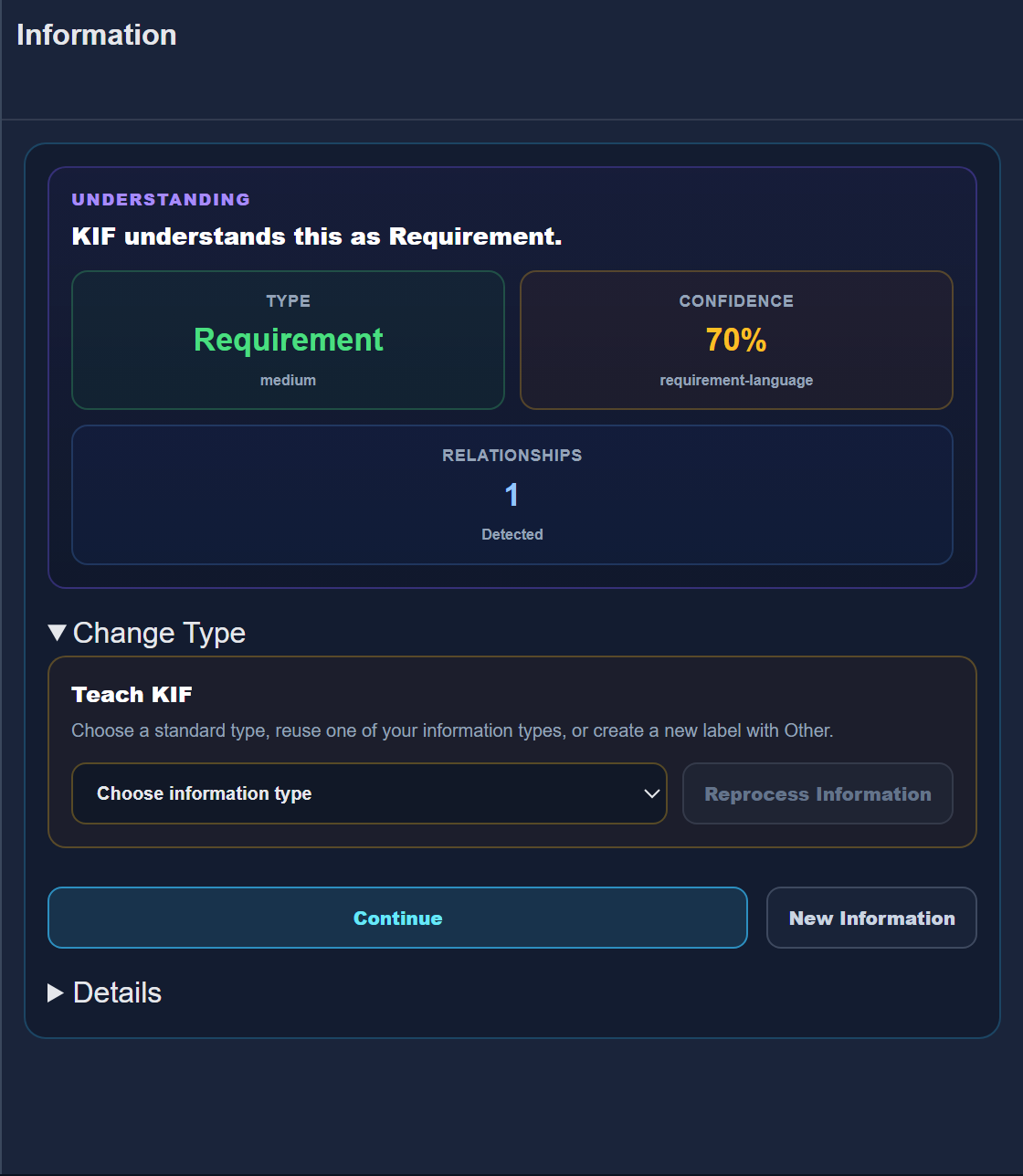
Submitted text is classified, and ticket keys written in it are detected as relationships. The result is shown so it can be checked.

  • Nothing is stored until it is submitted
  • Type, confidence and relationships are shown
  • The suggested type can be changed
KIF Information view: the text is understood as a Requirement, with 70 percent confidence, one detected relationship and an option to change the type. Demo data.
Information view with a typed, synthetic example.
03 / ACT

Draft tests from the requirements

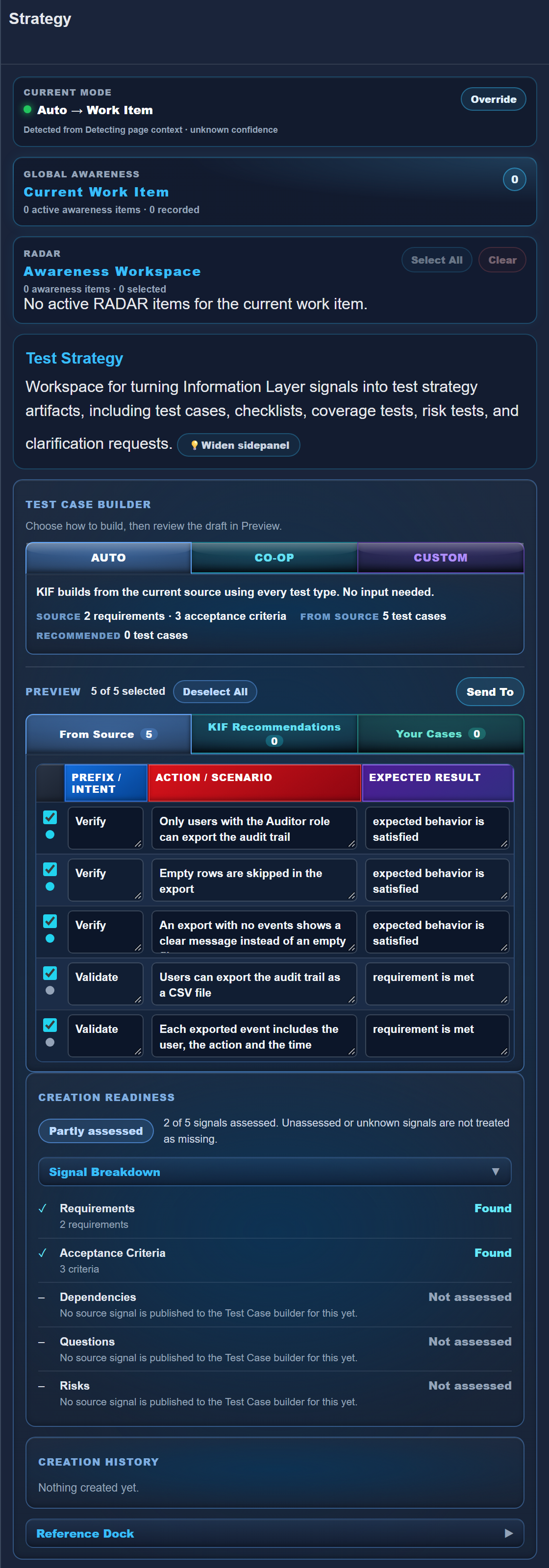
Test Strategy reads a work item's requirements and acceptance criteria and proposes test cases.

  • Drafts to review and edit, not verified tests
  • Cases from the source are listed separately from your own
  • Signals that were not assessed are labelled that way
KIF Test Case Builder: five draft test cases built from two requirements and three acceptance criteria, each with a prefix, a scenario and an expected result. Demo data.
Test Case Builder with a synthetic ticket. Open the full screen

Watch the KIF introduction

Opens on YouTube.

Play video
Back to projects